
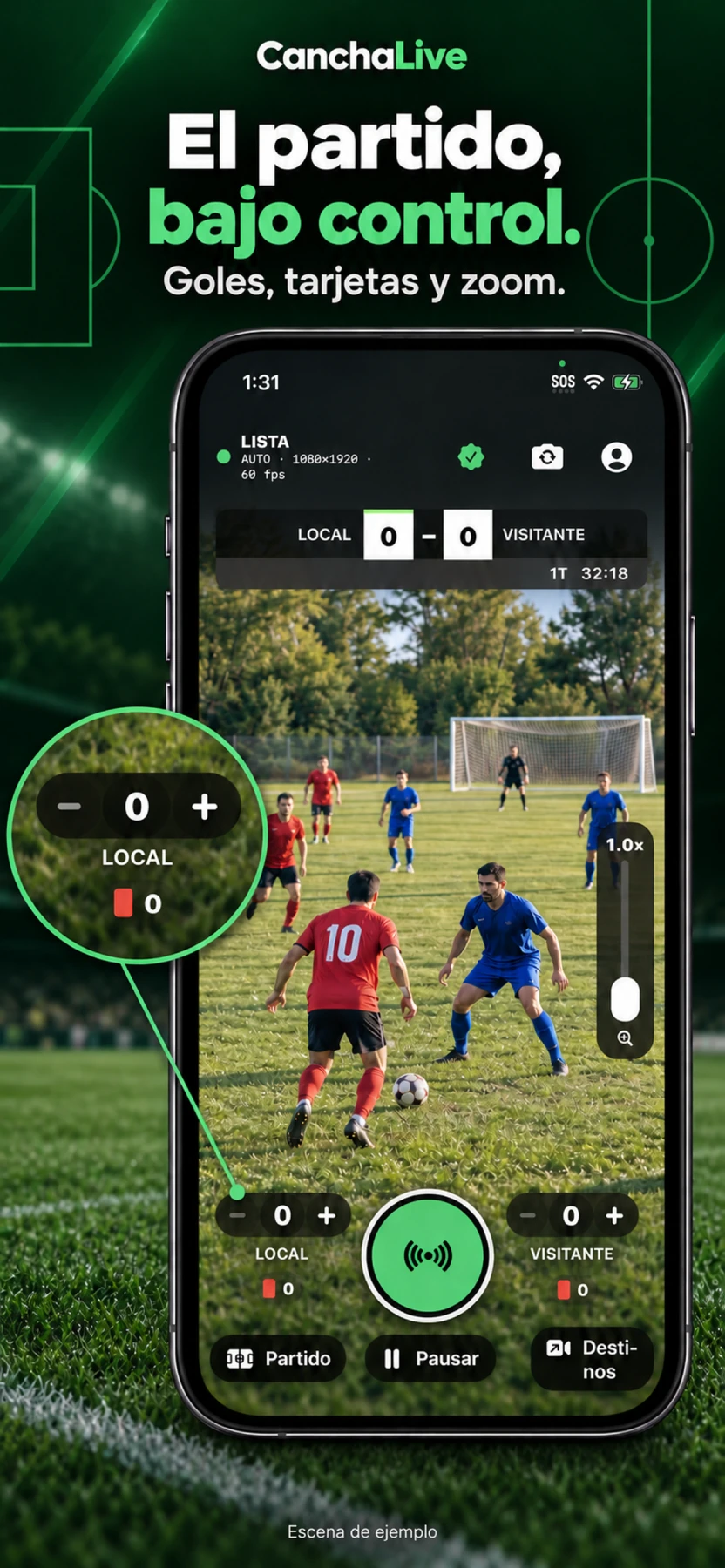
Update goals, cards, extra time, and penalties without losing sight of the camera.
Your field. Your signal.
Stream a soccer game to Facebook from your phone with a live scoreboard
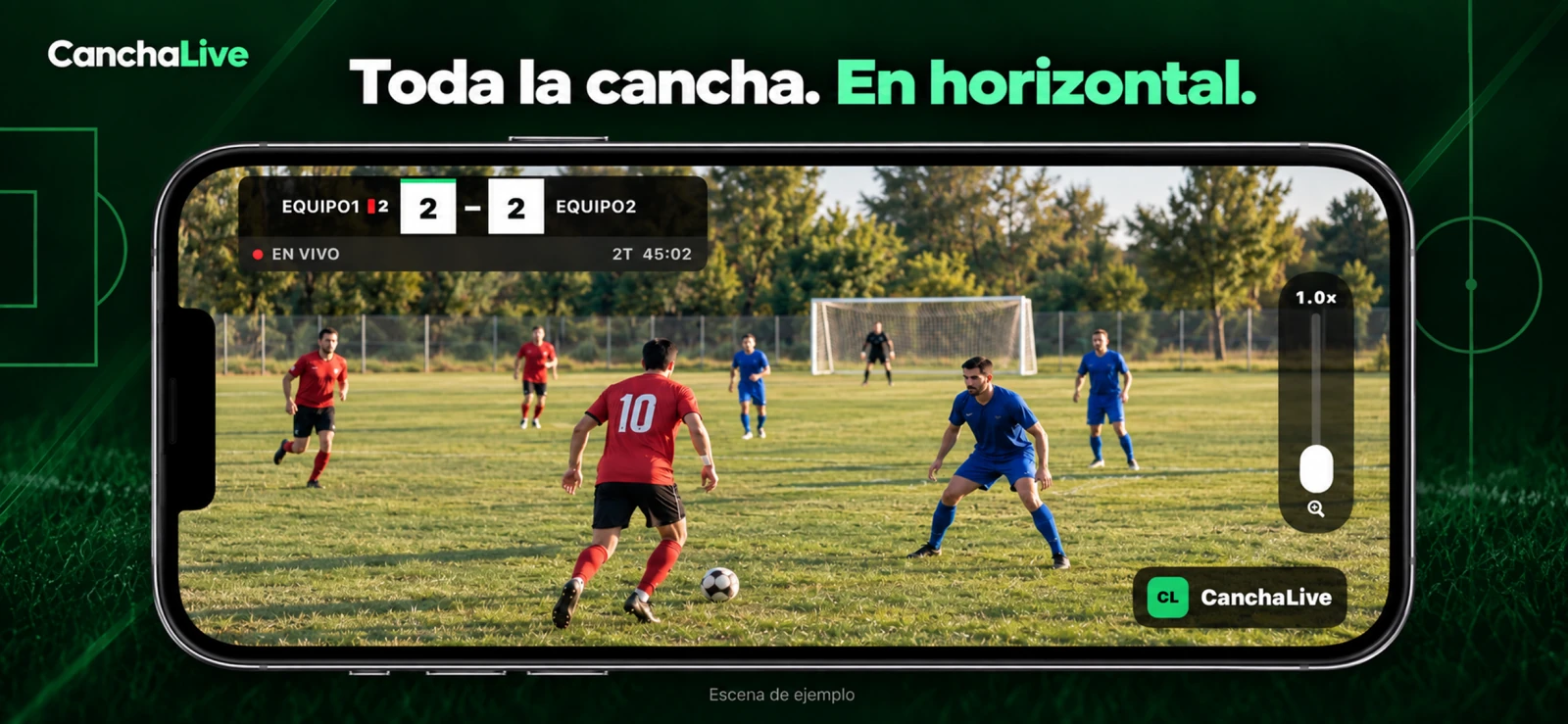
With CanchaLive, you can stream from the sideline with the team names, score, and game clock right on the video. When a team scores, update the scoreboard on your phone and your viewers will see the new score on the stream.
See how to stream to Facebook1 free hour for your first match · No production crew required
EAGLES
21
LIONS
SECOND HALF · 68:42
LIVE · 1080P
One signal. Three destinations.
 YouTubeLive
 FacebookLive
 TwitchLive
YouTubeLiveFacebookLiveTwitchLiveMultiplatform streaming without the complexity.
Upload once. CanchaLive distributes the signal for you.
Upload once. CanchaLive distributes the signal for you.
YouTube
Facebook
Twitch
The studio goes with youThe whole match.
The whole match.
One screen.
No booth or mixer required. From the sideline, you can compose the signal, run the clock, record every play, and publish the match.
Set team names, colors, and crests so every broadcast feels like your own.
Connect your channels and let CanchaLive multiply the broadcast.
Record camera, audio, and scoreboard so you can share the full match again.
16:9 ready to goThe whole field.
The whole field.
Never miss the play.
Stream in landscape and get closer to the action with controls built for the real pace of a match.
From sign-up to liveOn air before
On air before
kickoff.
CanchaLive removes stream keys and technical setup. You prepare the match; the platform connects the signal.
Create the match
Set the teams, scoreboard, and format. Check your camera and audio before going live.
Connect your channels
Sign in to YouTube, Facebook, or Twitch. No stream keys or app switching.
Go live
Control goals, time, cards, and zoom while CanchaLive distributes the signal.
Facebook Live · Sideline guide
How do I stream a soccer game to my team’s Facebook Page?
In CanchaLive, connect Facebook and choose your team’s Page as the destination. Set up the scoreboard, check the Page name, and go live from the camera screen. Viewers will see the score and game clock on the video.
Watch the iPhone and Android tutorialsConnect Facebook.
Sign in to CanchaLive and connect Facebook during setup. If you’re already on the camera screen, open Networks. Sign in to Facebook with an account that can post to your team’s Page and grant CanchaLive access. The account and Page must be eligible for Facebook Live.
Choose your team’s Page.
Back in CanchaLive, select the Page by name. If you see your personal profile or another Page, open the option to change the profile or Page. When you switch destinations, tap “Use this Page” to save. If the Page is missing, authorize access to it in Facebook and check again.
Set up the teams and scoreboard.
Enter the home and away team names and set the length of each half. Choose a scoreboard style and turn on the scoreboard and clock. Check that the preview shows both teams and the starting score.
Double-check the destination.
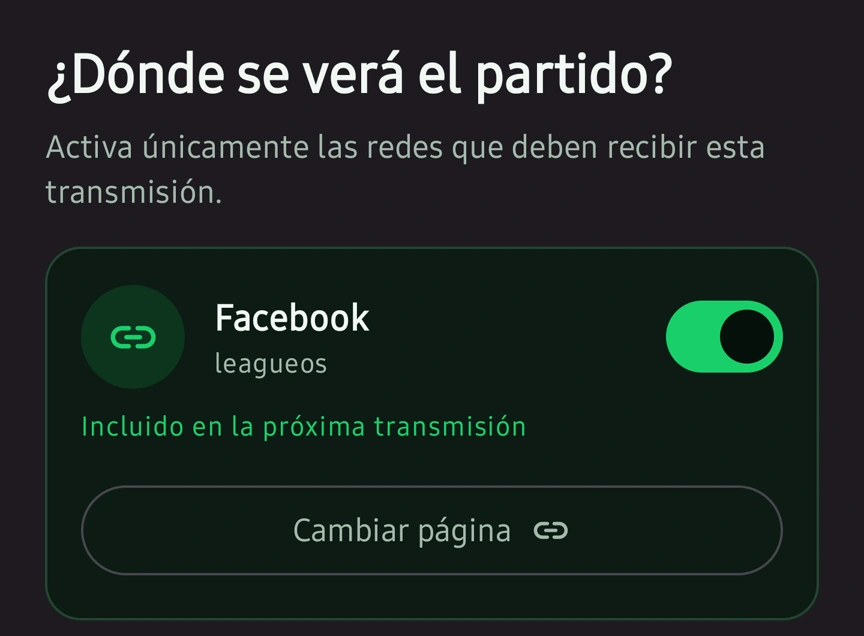
On the match review screen, find Facebook under Networks. Make sure your team’s Page name appears under Facebook and its switch is on. Turn off the other networks if you only want to stream to Facebook.
Go live from the camera screen.
Check your framing and audio. On iPhone, tap the center broadcast button when you’re ready. On Android, tap the center control, review “Before going live,” then tap “Go live now.” Wait until the app shows you’re live.
Start the clock and record each goal.
Tap the game clock at kickoff to start it. When a team scores, tap GOAL on that team’s side. The scoreboard on your Facebook stream will show viewers the updated score.

Video tutorialsYour first live stream,
Your first live stream,
step by step.
In under 3 minutes: set up the match, keep score and time, connect YouTube, Facebook, and Twitch, and go live. Pick the video for your phone.
 Android2:28
 iPhone2:21
Simple plansPay to stream.
Pay to stream.
Not for promises.
Start with one free hour. Then choose a match credit or a 20-hour pack, with no expiration or automatic renewal.
Per match
$8 USD
One credit for a match of up to 3 hours.
- One-time payment, no renewal
- Full scoreboard and destinations
- Extra time and penalties included
20-hour packBest value
$39 USD · one-time payment
20 streaming hours to use at your own pace. Top up whenever you need.
- Hours never expire
- YouTube, Facebook, and Twitch included
- No automatic renewal
Before you go liveThe essentials.
The essentials.
Straightforward.
Do I need a production crew?
No. A compatible phone, a stabilizer, and an internet connection are enough to stream and control the match.
Do three networks use three times the data?
No. Your device uploads one signal and CanchaLive distributes it to the connected destinations.
Can I record the match?
Yes. You can save a local copy with camera, scoreboard, and audio while streaming.
Where can I download CanchaLive?
CanchaLive is available for iPhone on the App Store and for Android on Google Play.
Do I need a Facebook Page?
No. You can stream to your personal Facebook profile or to a Page you manage. Connect your account and choose the destination before going live.
The next match
deserves to be live.
Download CanchaLive, connect your destinations, and turn the sideline into a live sports production studio.